> ## Documentation Index
> Fetch the complete documentation index at: https://docs.sleak.chat/llms.txt
> Use this file to discover all available pages before exploring further.
# Order status koppeling
> Laat de agent automatisch order statussen opzoeken via een native koppeling
Met een order status koppeling kan de agent real-time bestel- en verzendstatus ophalen uit je webshop of fulfilment systeem. De agent vraagt automatisch de benodigde gegevens op bij de bezoeker voordat de koppeling wordt gebruikt.
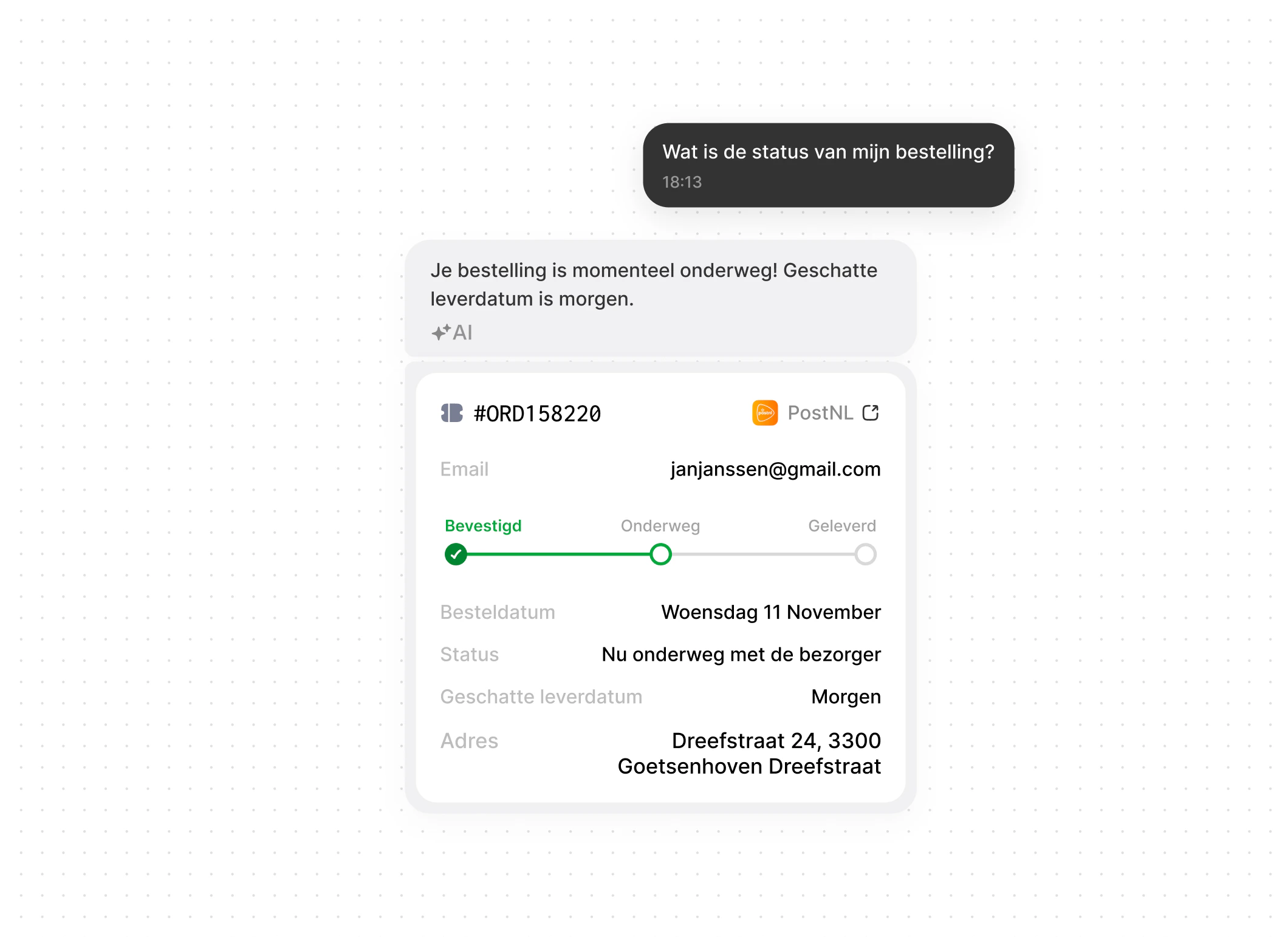 Nadat de agent een bestelling opzoekt, worden de orderdetails in een overzichtelijke weergave getoond. Zo ziet de bezoeker direct dat de agent daadwerkelijk een order heeft opgezocht - en ontstaat er extra vertrouwen en zekerheid dat er geen sprake is van AI-hallucinatie.
**Deze feature is onderdeel van het Grow pakket**
## Beschikbare koppelingen
Order status
Order status
Order status
Order status
Order status
Shipment status
Shipment status
Shipment status
Shipment status
Shipment status
**Mis je jouw integratie?** Geen zorgen - praktisch elk systeem kan ook gemakkelijk ge-integreerd worden via de [Custom tool](/agent/acties/custom-tool).
## Configuratie
**Vereiste gegevens:**
* Base URL (bijv. `https://your-store.myshopify.com`)
* Access Token
**Vereiste gegevens:**
* Base URL
* Consumer Key
* Consumer Secret
**Vereiste gegevens:**
* API Key
* API Secret
**Vereiste gegevens:**
* Base URL
* Access Token
**Vereiste gegevens:**
* Base URL
* Access Key ID
* Secret Access Key
**Vereiste gegevens:**
* Public Key
* Secret Key
**Vereiste gegevens:**
* API Token
**Vereiste gegevens:**
* Base URL
* API Key
**Vereiste gegevens:**
* API Key
**Vereiste gegevens:**
* Username
* Password
***
[support@sleak.chat](mailto:support@sleak.chat)
+31 85 060 8199
Nadat de agent een bestelling opzoekt, worden de orderdetails in een overzichtelijke weergave getoond. Zo ziet de bezoeker direct dat de agent daadwerkelijk een order heeft opgezocht - en ontstaat er extra vertrouwen en zekerheid dat er geen sprake is van AI-hallucinatie.
**Deze feature is onderdeel van het Grow pakket**
## Beschikbare koppelingen
Order status
Order status
Order status
Order status
Order status
Shipment status
Shipment status
Shipment status
Shipment status
Shipment status
**Mis je jouw integratie?** Geen zorgen - praktisch elk systeem kan ook gemakkelijk ge-integreerd worden via de [Custom tool](/agent/acties/custom-tool).
## Configuratie
**Vereiste gegevens:**
* Base URL (bijv. `https://your-store.myshopify.com`)
* Access Token
**Vereiste gegevens:**
* Base URL
* Consumer Key
* Consumer Secret
**Vereiste gegevens:**
* API Key
* API Secret
**Vereiste gegevens:**
* Base URL
* Access Token
**Vereiste gegevens:**
* Base URL
* Access Key ID
* Secret Access Key
**Vereiste gegevens:**
* Public Key
* Secret Key
**Vereiste gegevens:**
* API Token
**Vereiste gegevens:**
* Base URL
* API Key
**Vereiste gegevens:**
* API Key
**Vereiste gegevens:**
* Username
* Password
***
[support@sleak.chat](mailto:support@sleak.chat)
+31 85 060 8199